Scan a patient QR and redeem sessions
Scan the QR in a patient's app at reception to redeem a treatment session, confirm a reward or check them in.
Last updated
The scanner reads three kinds of QR: a purchased treatment QR, a reward code and the clinic pass.
Before the scan
For a treatment, the patient opens Profile > My treatments in the app, picks the purchased or membership-included treatment, chooses how many sessions to use and shows the QR code. The code is short-lived. If it has expired, they refresh it.
Scan a treatment
- Open Today > Scan & check-in, or click the Scan QR icon at the top right of any page. The camera starts.
- Point it at the patient's QR code: Point the patient QR at the camera.
- The QR is read, the session is redeemed and the visit is recorded with the clinic's check-in rule, all by themselves. The Check-in result card shows the patient, the treatment, the sessions left and the membership.
- Click View profile to open the client, or Scan another QR for the next patient. If the visit could not be saved, the card says so: click Record visit to try again.
No camera? Open Enter a token instead, paste the Patient QR token (shown under the QR in the app) and click Redeem treatment.
Confirm a reward
When a patient uses a reward in the app, they show a reward code, valid for 10 minutes.
- Scan it like a treatment. No points are deducted yet.
- Check the reward with the patient.
- Click Confirm use. The points are deducted from the patient's balance and the card shows Reward used.
Reward codes are scanned only: the RWD-… reference under the QR is not a code to type.
The clinic pass
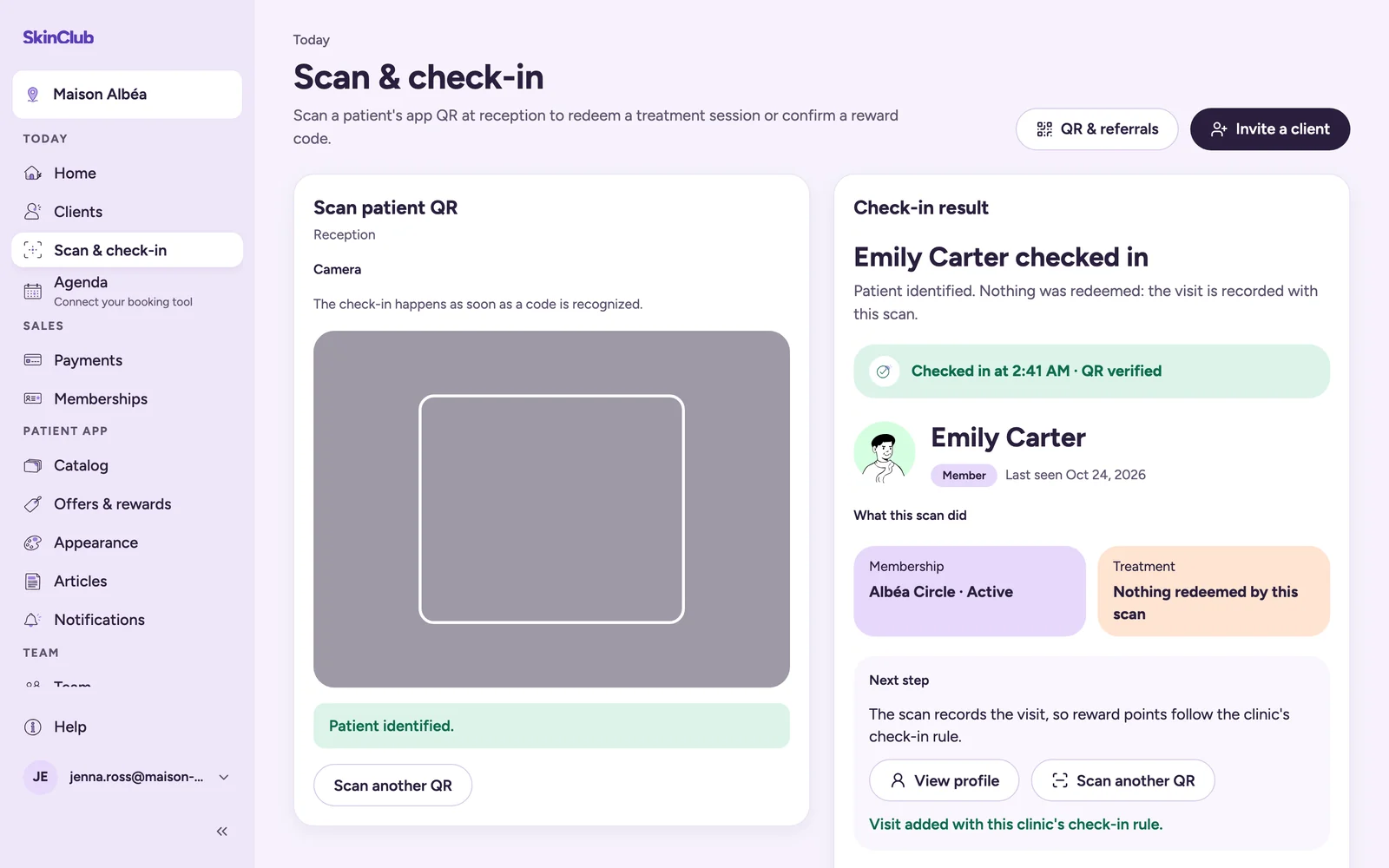
The Scan tab of the app (My pass) shows a pass QR to identify the patient at the desk. The scanner shows Patient identified: nothing is redeemed, and the visit is recorded with the scan.
If it fails
- This treatment has no sessions available to redeem: check the balance in Clients.
- This QR is no longer available: ask the patient to refresh their treatment QR.
- This reward code has expired: ask the patient to show a new one.
- This reward code has already been used: no points are deducted a second time.
- The patient does not have enough points for this reward: confirmation stays blocked.
- A QR from an older version of the app can be refused. Ask the patient to update the app.
Limits
- The scan feature can be switched off for a clinic. If Scan & check-in is greyed out, it is not enabled for you.
- The support role cannot redeem a session, record a visit or confirm a reward. It can check a reward code without confirming it.