Clients directory and manual adjustments
Find a client, read their profile, and fix visits, points or session balances with a recorded reason.
Last updated
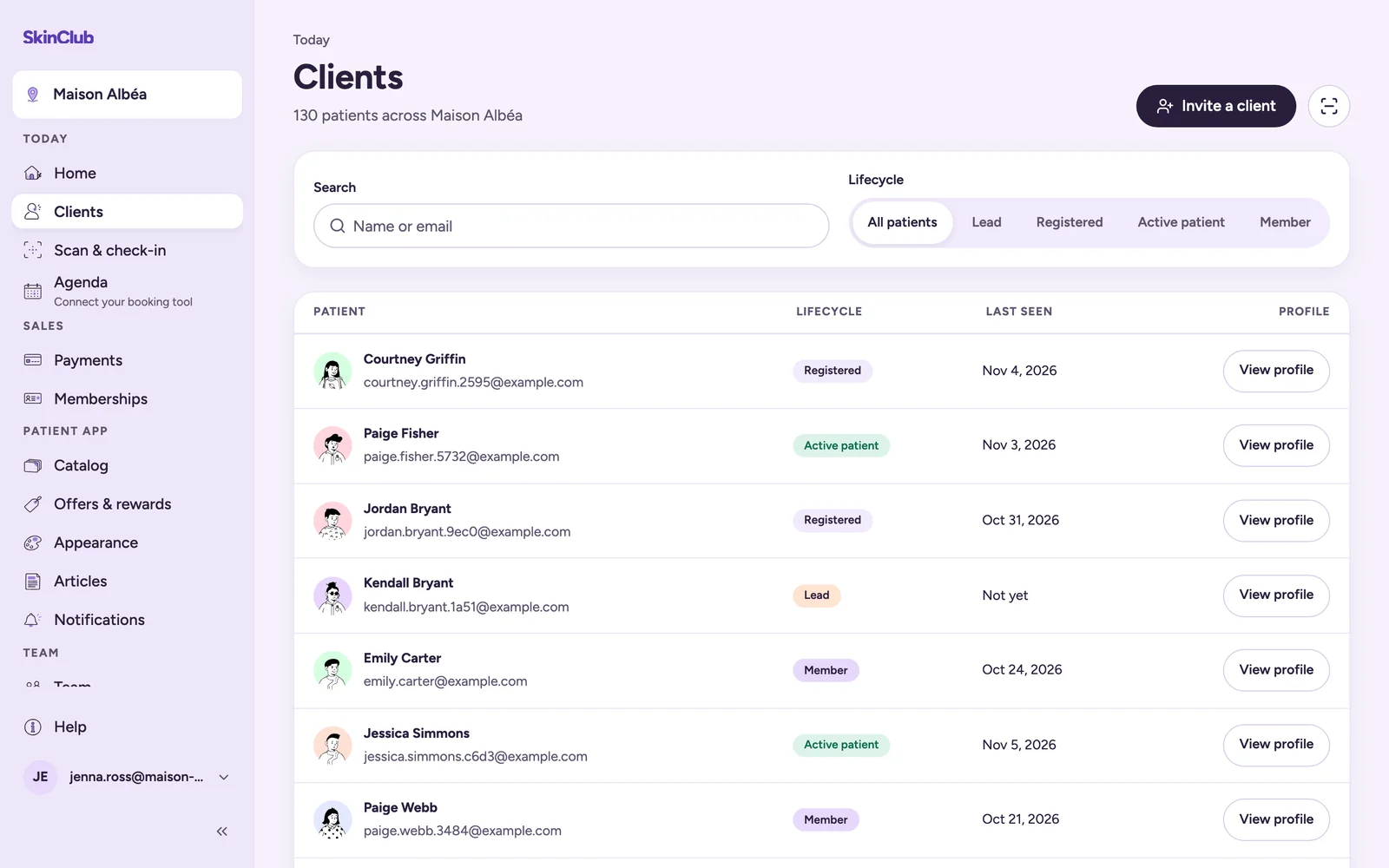
Find a client
Open Today > Clients. Search by Name or email, and narrow with the Lifecycle filter. Click View profile to open the client's profile.
Patients appear after their first invitation, booking or purchase.
Read the profile
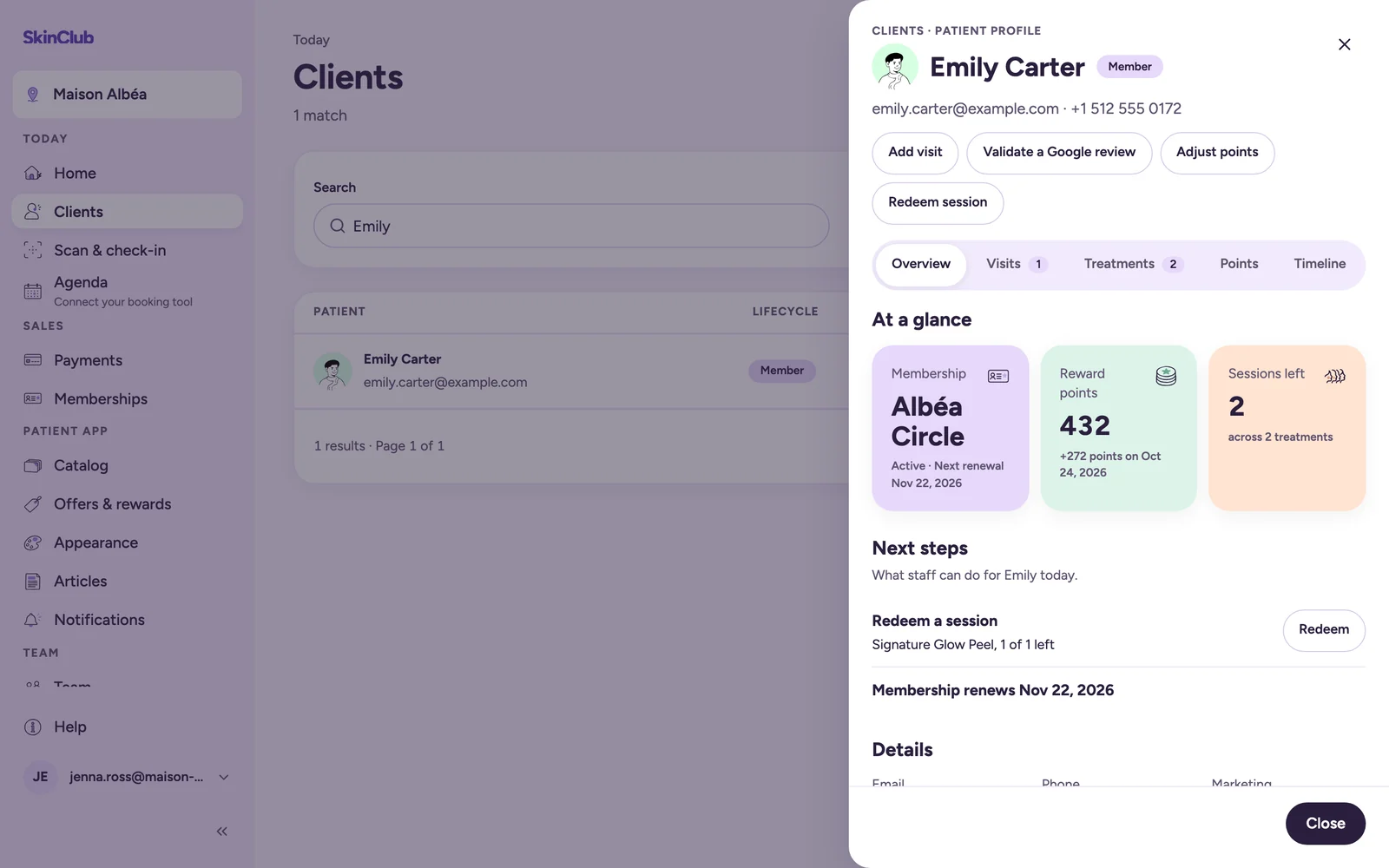
The profile opens in a side panel. It lists contact details, the patient app (with Invite to the app), Purchased and included care, memberships (with Next renewal and Cancels at period end), reward points, Visit history and Recent activity. Tabs (Overview, Visits, Treatments, Points, Timeline) give the detail.
If a membership plan change is scheduled, the profile shows Plan change scheduled. Only an owner or admin can click Cancel change.
The adjustments
The buttons sit at the top of the profile. Each adjustment opens in its own drawer and is written to the client's timeline.
- Add visit: records a visit that was not scanned at reception. Enter Points to award, or 0 to apply the clinic's check-in rule when one is set up. The reason is optional.
- Validate a Google review: the patient shows you their Google review at reception. Credit the bonus gives them the clinic's review bonus, whatever the rating, once per patient. The Google review bonus must first be turned on in Offers & rewards > Rewards.
- Adjust points: a positive value adds points, a negative one removes them. A Reason is required.
- Redeem session: records completed care and removes sessions from the available balance. The button is greyed out when no treatment has sessions left.
- Correct balance: from the Treatments tab, on the treatment's row. It fixes a session balance that does not match reality, without exceeding the sessions purchased. A Reason is required.
Submitting the same command twice does not apply it twice.
Limits
- You cannot remove more points than the client has.
- The support role can read the profile but cannot change visits, points or sessions.
- The overall points balance is visible only to staff with organisation-wide access.
- The profile shows whether the patient accepts marketing, without letting you change it. Admin has no screens for client notes, privacy requests or account deletion.
- Adjustments are for corrections. They do not refund a payment, which is done in Stripe.