Booking handoff after a purchase
After buying a treatment, the patient is sent to your booking tool, WhatsApp or phone. SkinClub does not book for you.
Last updated
SkinClub does not hold your calendar. After a purchase, the app hands the patient over to the way you take appointments.
What the patient sees
In the app, under Profile > My treatments, each purchased treatment has a booking action. Depending on your setup, it:
- opens your booking tool's page (External link);
- opens a WhatsApp message to the clinic, with the treatment name filled in (WhatsApp);
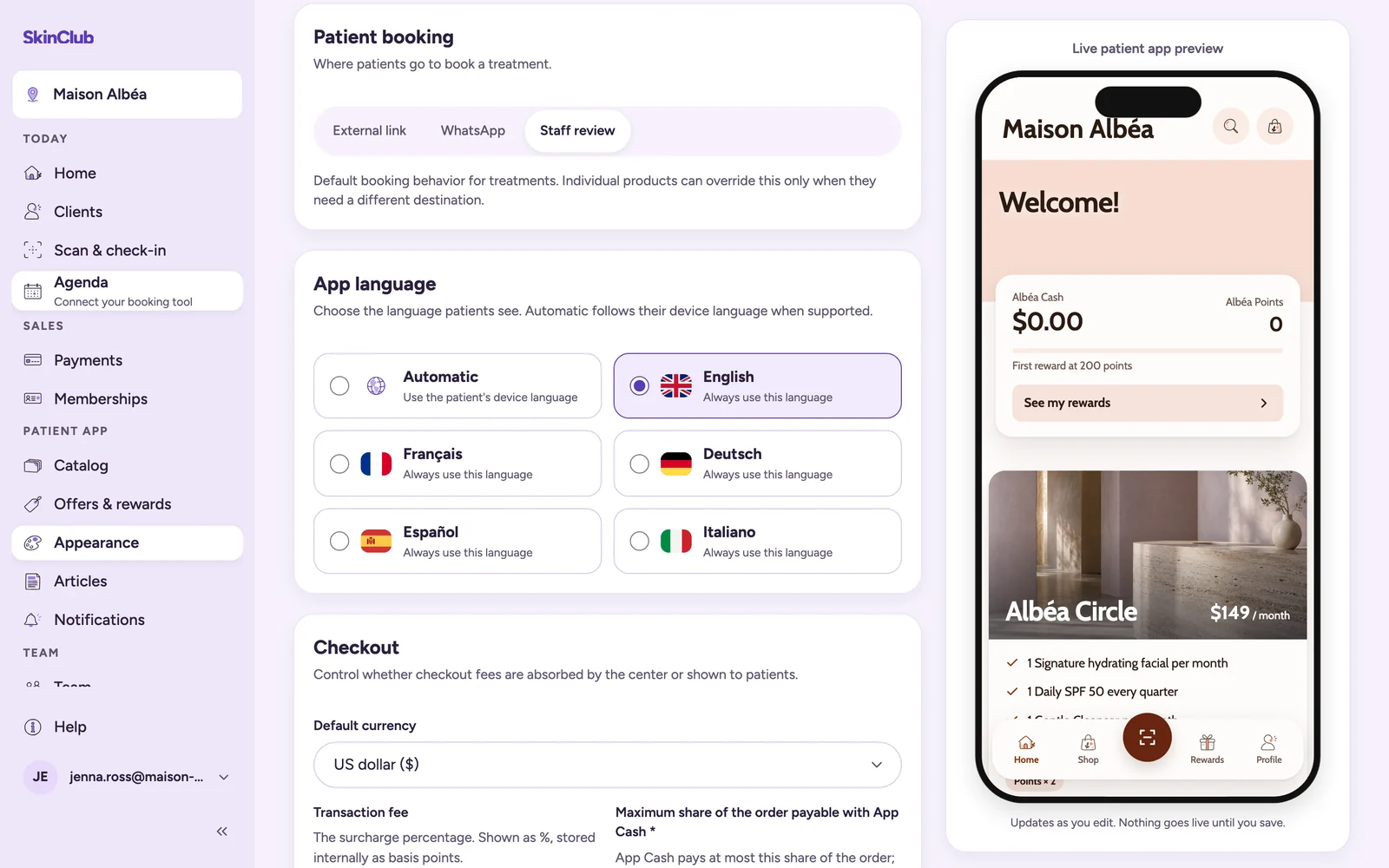
- offers to call the clinic (Staff review);
- shows no appointment action, if you chose Do not offer appointments for that treatment.
If the link or the WhatsApp number is missing, the app offers to call the clinic instead. Without a clinic phone number, no action appears.
Set it up
- Open Patient app > Appearance, Brand & settings tab, Patient booking card.
- Choose External link, WhatsApp or Staff review. For an external link, fill in the Booking provider and the Booking page URL. For WhatsApp, fill in the WhatsApp number and the WhatsApp message;
{product}inserts the treatment name. - Save. See also "Set your clinic profile and booking link".
- For a treatment that needs another destination, open it in Patient app > Catalog, Booking tab, and choose Use a specific link or Do not offer appointments.
At reception
In the sidebar, under Today, the Agenda link opens your booking tool in a new tab: the tool's staff sign-in when SkinClub knows it, otherwise your booking page. Until an external link is set, it reads Connect your booking tool and opens the Patient booking card.
When a patient arrives with a QR code, follow "Scan a patient QR and redeem sessions".
Limits
- Booking appears from purchased treatments, and on the order confirmation (Choose my slot). A priced treatment page shows no booking button before purchase; a treatment with no price or priced at 0 shows your booking action instead of add to cart.
- SkinClub does not read availability or appointments from your booking tool.
- The app does not show an upcoming appointment: your booking tool or your team remains the source of truth.