Set your clinic profile and booking link
Fill in your clinic details and tell the app where patients should book.
Last updated
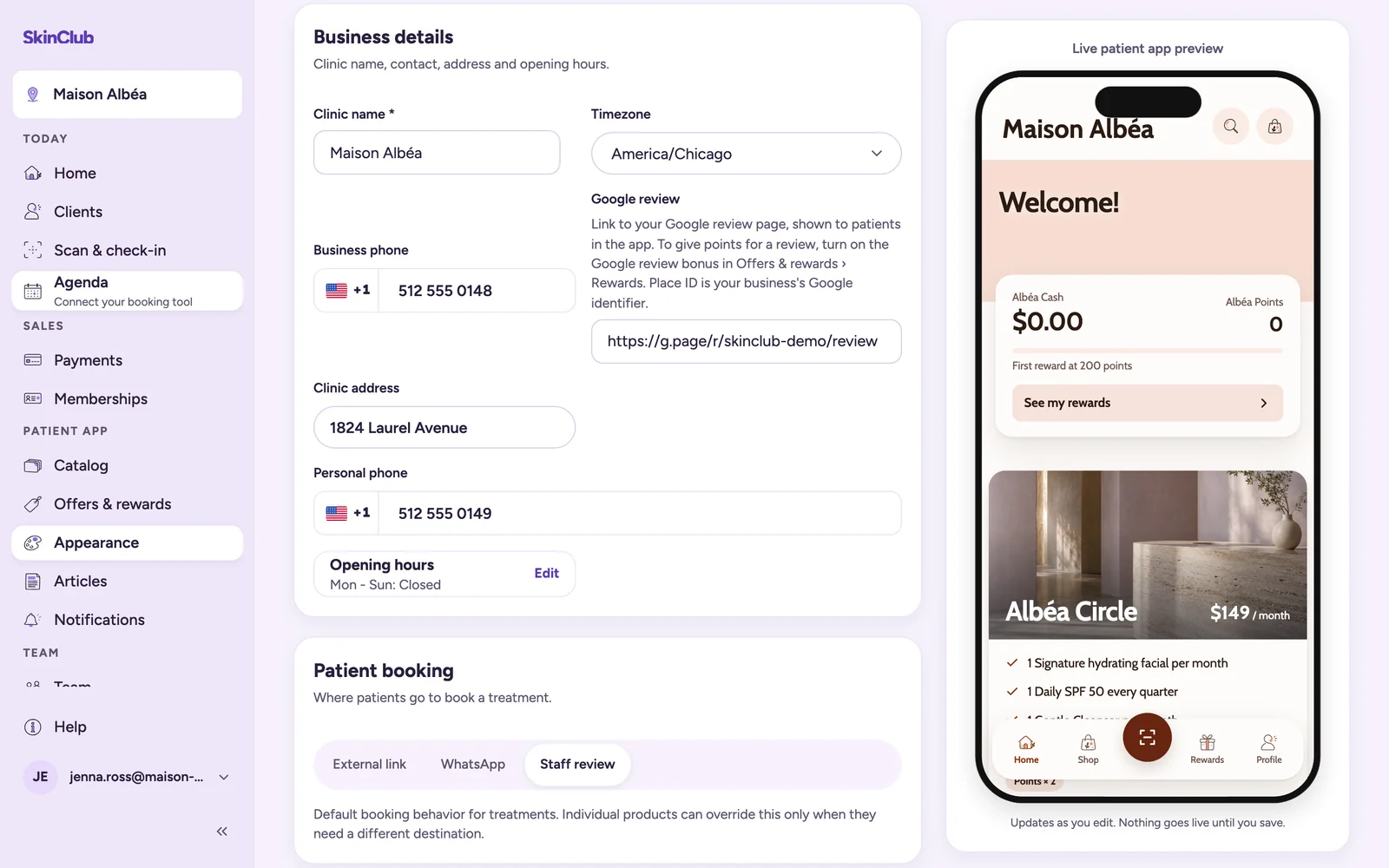
Your clinic profile and booking link live in one place: Patient app > Appearance > Brand & settings.
Clinic profile
- App theme & font: pick a ready-made App theme and an App font. The theme sets every colour of the app; there is no custom colour (see "Customise your app's look").
- App identity: logo, App display name, Points name and Cash name. A square PNG or JPG is recommended for the logo, ideally 512 x 512 px, with a 2 MB maximum.
- Business details: Clinic name, phone, Timezone, Google review, address, Personal phone and Opening hours.
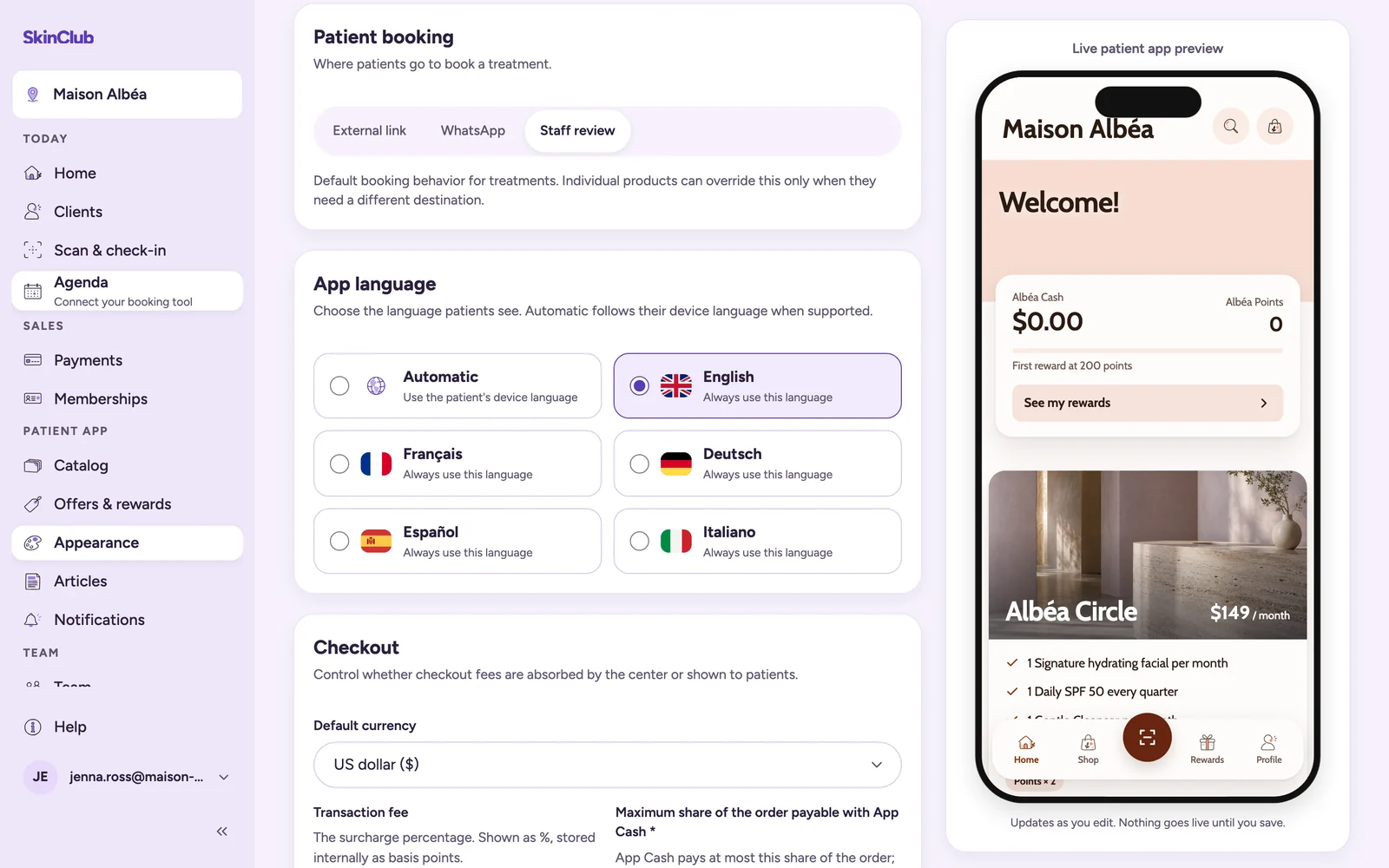
- App language: Automatic follows each patient's phone language when supported, or choose one language for everyone.
- Checkout: Default currency, App Cash share and, outside Europe and the UK, transaction fees (see the Payments articles).
Save your changes when the save bar appears. The preview next to the form updates as you edit, but nothing goes live until you save.
Booking link
SkinClub does not take bookings. It sends patients to your own booking tool.
In Patient booking, choose how patients book, then save:
- External link: pick your Booking provider and paste your Booking page URL.
- WhatsApp: set the WhatsApp number and WhatsApp message. Write {product} to insert the treatment name.
- Staff review: patients are sent to contact the clinic.
A single treatment can use another destination. Open it in Patient app > Catalog and use Appointment booking: Use clinic default, Use a specific link or Do not offer appointments.
The Agenda shortcut
The Agenda link, in the Today group of the sidebar, opens your booking tool in a new tab. For most tools it opens their staff back office. For Planity, Doctolib or Other booking provider, it opens your public booking page. Until Patient booking is set to External link with a tool or a URL, it reads Connect your booking tool and brings you to that setting.
Limits
No calendar or availability is stored in SkinClub. Patients see the booking action from their purchased treatments (see "Booking handoff after a purchase").