Staff rewards: points and perks for your team
Reward the team with points for attributed sales and client sign-ups, and let them redeem perks.
Last updated
Staff rewards give your team points, and non-cash perks to spend them on, such as a day off or a gift card.
How points are earned
When a patient pays, they can choose which team member served them. Points are awarded only from settled, staff-attributed checkouts. A staff member can also earn points for each client who signs up from their app invitation (see "Invite a patient to the app at reception").
Set it up
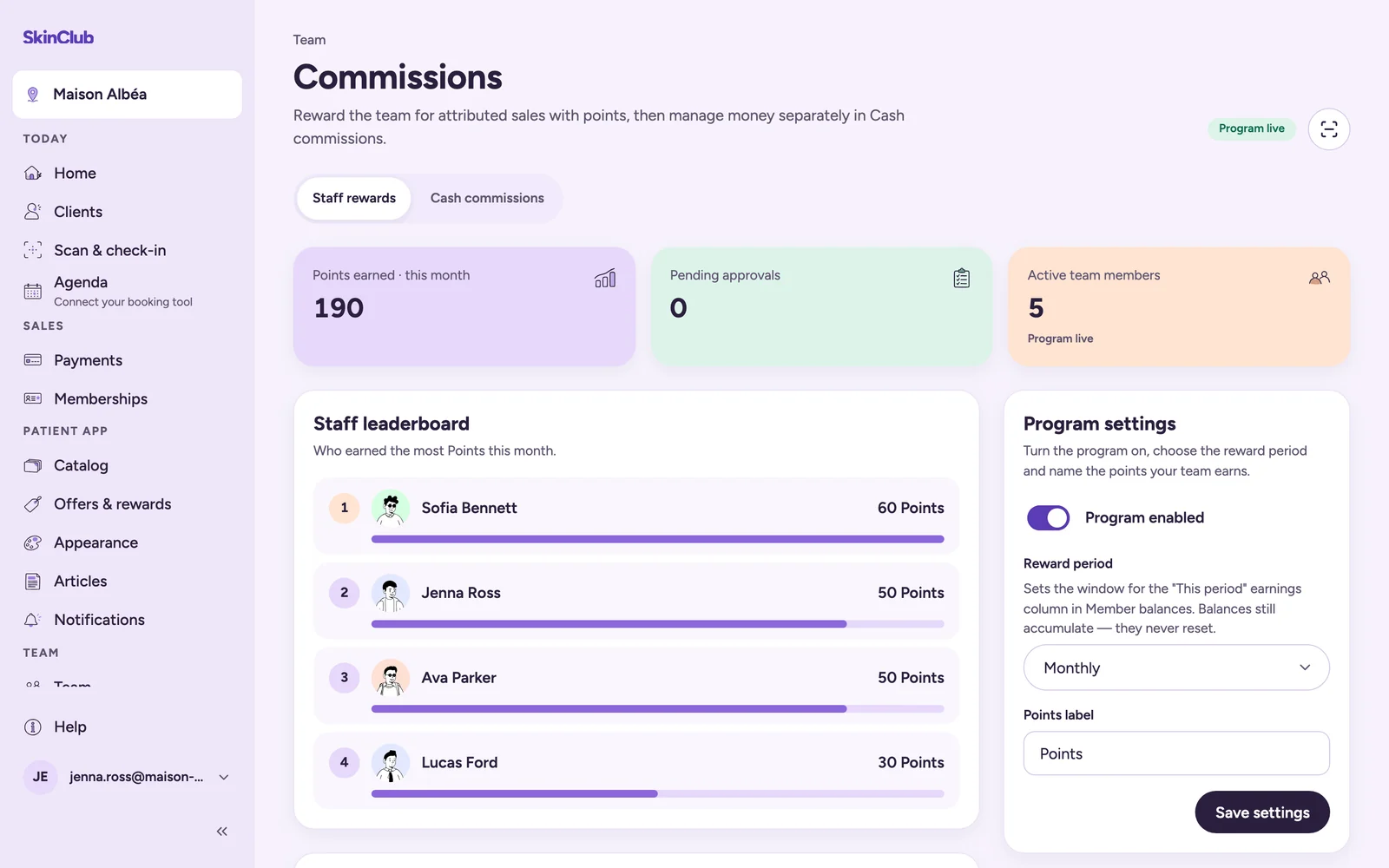
Open Team > Commissions. If you also manage cash commissions, the page opens on Cash commissions: click the Staff rewards tab. Only organisation owners and admins can change the programme.
- In Programme settings, turn on Programme enabled, choose the Reward period (Weekly, Monthly or Quarterly) and name the points (Points label), then click Save settings.
- In Earning rules, click Add an earning rule. Pick an Earning source: Attributed sale, Attributed spend or Client signed up from an invite. A Minimum sale amount is optional. Click Add rule.
- In Perks, click Add a perk. Set its title, Perk type, Unlock points and Fulfillment: Automatic or Manual approval.
- A new perk starts as Draft. Set its Status to Active when it is ready for the team.
Approvals
Manual-approval perks land in Pending approvals. Owners, admins and group admins can Approve or Reject. Rejecting returns the points. Approved perks wait under Ready to fulfil until you click Mark fulfilled.
For each team member
Account menu > My rewards shows their points, the perks they can Redeem, and their Recent redemptions.
Limits
- Perks are non-cash. Cash commissions are managed in the Cash commissions tab, open to organisation owners and admins only, and are not covered here.
- Without reward-management rights, the page is read-only.
- If the programme is not turned on, team members see that their clinic has not turned on the staff rewards programme.