Payments, payouts and refunds: the read-only console
Follow payments, payouts, refunds and disputes in the Payments page, which you can look at but not act on.
Last updated
Sales > Payments shows what Stripe reports for the selected centre. It is a read-only view: you can search and filter, but you cannot issue a refund or a payout from here.
The tabs
- Overview: Settled payments, Available balance, Latest payout and Open disputes, plus the Stripe status of the centre and a Review Stripe settings link.
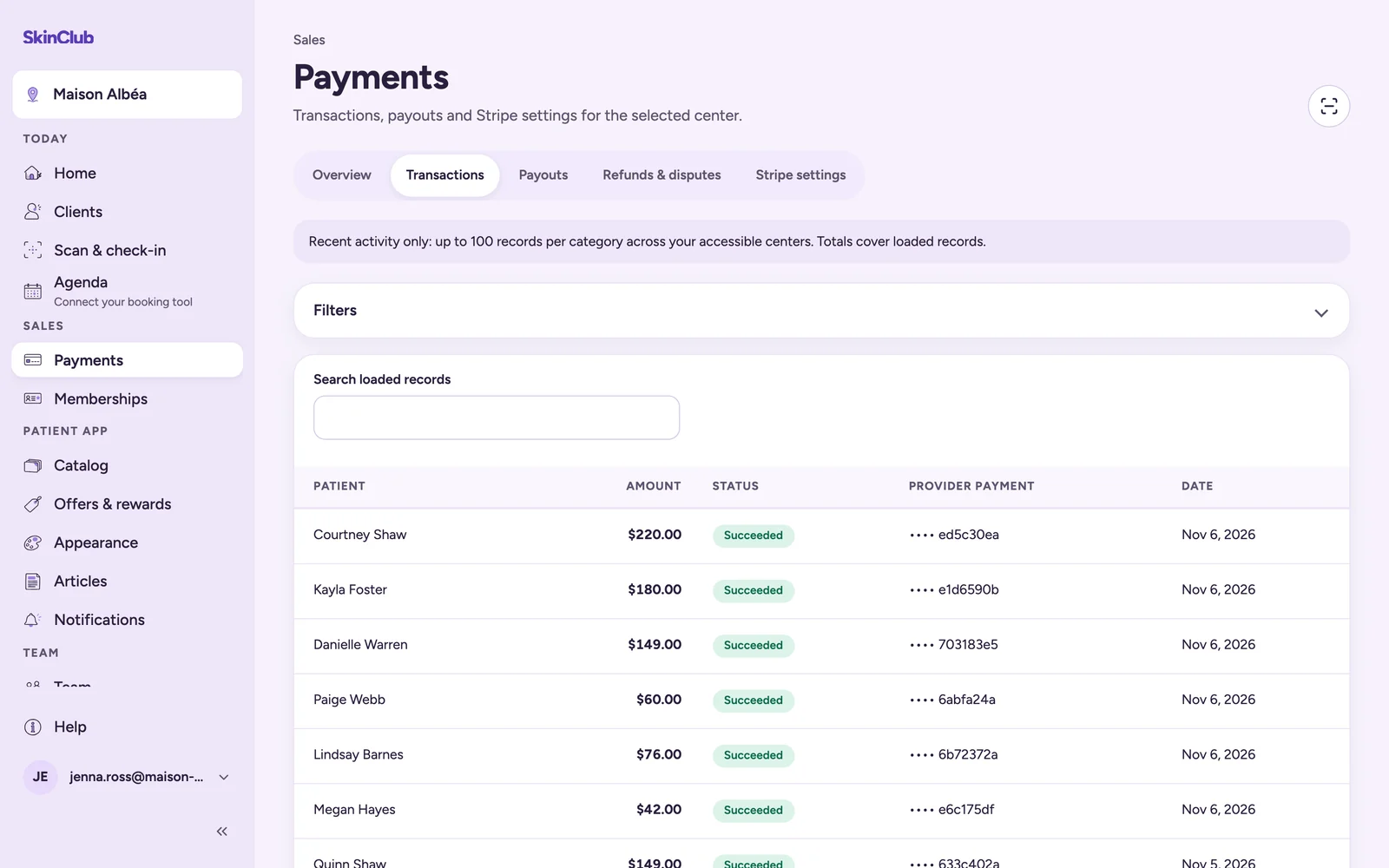
- Transactions: each payment with Patient, Amount, Status, Provider payment and Date. Open Filters to narrow by Status, From and Until, then Clear filters to see the full list again. Saved payment methods is listed underneath.
- Payouts: the transfers Stripe sends to your bank, with their amount, status and Arrival date.
- Refunds & disputes: refunds and disputes, with the evidence due date for disputes.
- Stripe settings: connection status (see Connect Stripe).
Use Search loaded records to find a line. Lists show 15 lines per page (Previous, Next). With several centres, switch with the Centre selector.
Transactions filters stay in the page address: a copied link reopens the same view.
Orders paid with App Cash
An order paid entirely with App Cash does not go through Stripe. It appears in Transactions with Paid with App Cash in place of the Stripe reference. It does not count in Settled payments.
Failed payments
On Home, the Failed payments card shows two figures:
- One-off failures, this period, with Review failed payments, which opens Transactions filtered on failed payments.
- Unpaid membership renewals, all dates, with Review memberships (see Failed membership payments).
Limits
- The page loads recent activity only: up to 100 records per category across all your accessible centres. With several centres, one centre can therefore show fewer. Totals cover loaded records, not your whole history.
- This is not an accounting ledger. Use Stripe for reconciliation.
- Refunds and dispute answers are handled in Stripe (see Refunds and disputes).