Failed membership payments
Spot unpaid renewals from Home and know what the member sees and can do.
Last updated
When a renewal payment is declined, the membership becomes past due. Stripe may retry the charge. On the third failure, SkinClub pauses the member's benefits until payment is recovered: their included treatments can no longer be used.
Where you see it
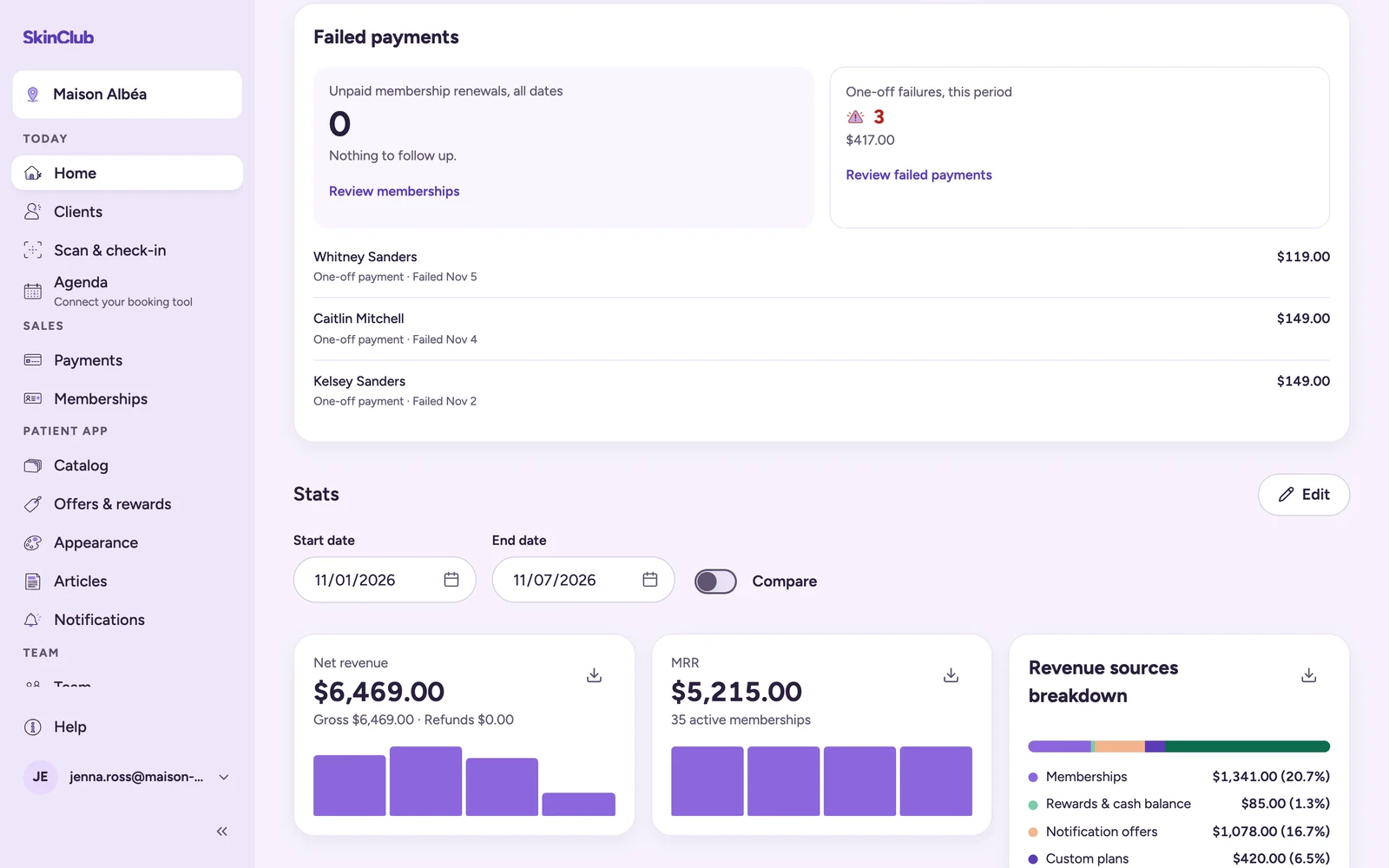
- Today > Home, card Failed payments: the Unpaid membership renewals, all dates, and the One-off failures, this period. Totals are shown per currency. Each line shows when it failed and, depending on the case, Next retry followed by a date, or a Benefits paused badge.
- Review memberships opens Sales > Memberships. Review failed payments opens Sales > Payments, Transactions tab, filtered on failed payments.
- At reception, the check-in card shows the membership state, for example Past due.
A renewal stays in the card until it is recovered. The card does not give the reason for the failure.
What the member sees
In Profile > Membership, the member sees Action required, Payment required and a message that benefits are paused because payment is required. The Update payment method button lets them fix the card: on iPhone and Android the app opens a card form; otherwise it opens Stripe's billing page; as a last resort it offers a WhatsApp message to the clinic.
What you can do
- Contact the member and invite them to open Update payment method in the app.
- Check the payment in Stripe if you need more detail.
Limits
- Next retry only appears when Stripe has sent a date.
- Sales > Payments shows recent activity only: up to 100 records per category across the centres you can access.