Connect Stripe to accept payments
Link your clinic's Stripe account from the Payments page so patients can pay in the app.
Last updated
Patients pay your clinic through Stripe. Each centre has its own connected Stripe account, and you set it up from the Admin console.
Only the Owner and Administrator roles can connect Stripe or refresh its status. Other roles, Group administrator included, see the buttons disabled and the message Only an owner or admin can manage Stripe Connect.
Before you start
The centre needs a valid country in its details. Otherwise you see Add a valid two-letter country to this centre before connecting Stripe.
While the centre is not connected, the Stripe settings tab shows two cards: Why connect Stripe and What happens next.
Connect
- Open Sales > Payments, then the Stripe settings tab.
- If you have several centres, choose the right one in the Centre selector.
- Click Connect Stripe. Stripe's own page opens.
- Complete the Stripe form with your business, representative and bank details. SkinClub never collects these itself.
- When you return to SkinClub, the status refreshes by itself (Stripe status refreshed.). If it does not, click Refresh status.
Read the status
The card shows one of three states:
- Payments not connected: no Stripe account yet.
- Stripe setup incomplete: an account exists, but charges or payouts still need action. Click Continue Stripe setup.
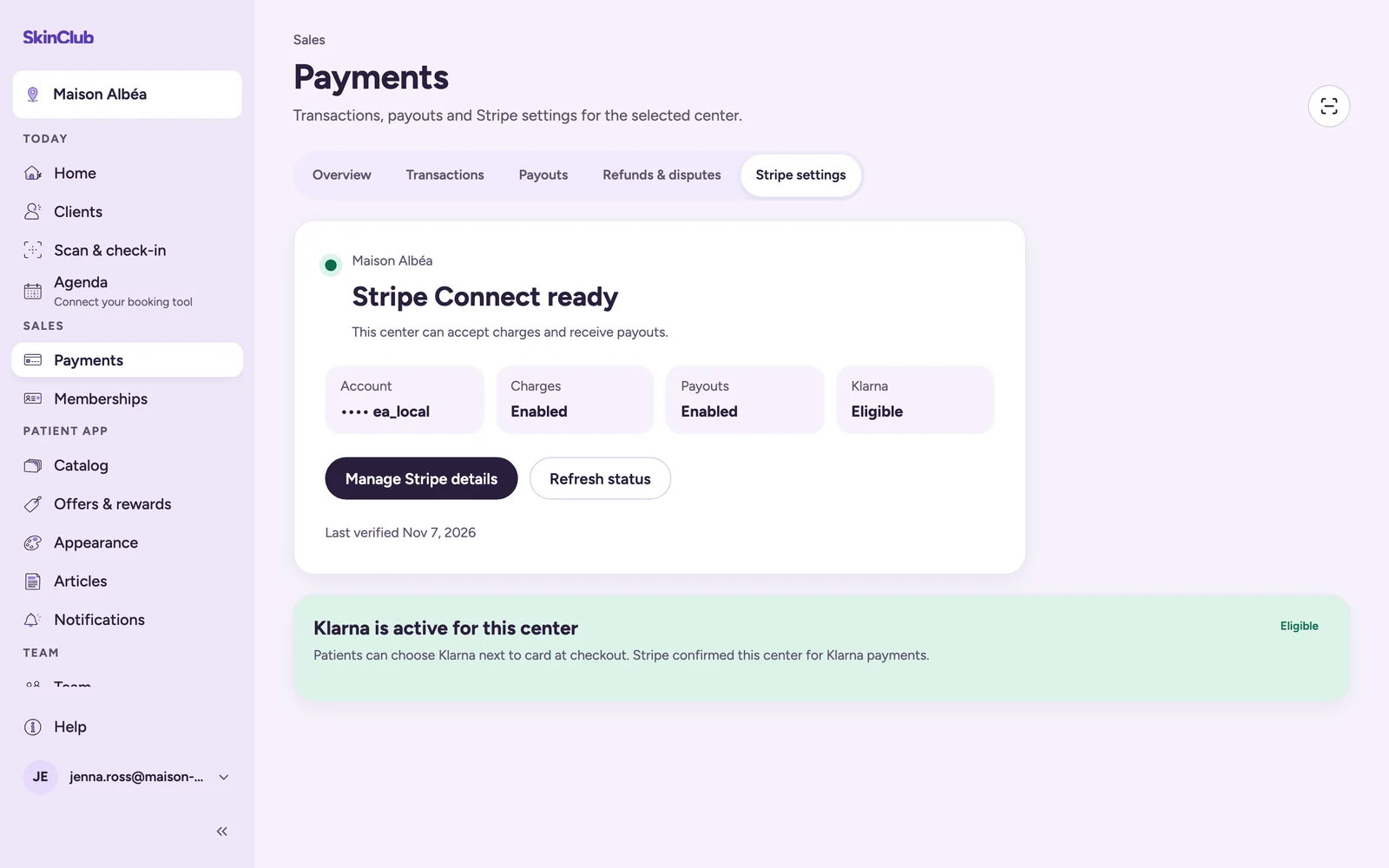
- Stripe Connect ready: the centre can accept charges and receive payouts. Manage Stripe details reopens your details on Stripe.
Below the status you see Account (partly hidden), Charges, Payouts and Klarna (Eligible or Not verified). The Last verified line gives the date of the latest check. See "Klarna at checkout".
The Overview tab repeats this status, with a Review Stripe settings link.
If the Stripe link expires, you see The Stripe setup link expired. Continue setup to create a fresh secure link. Click Continue Stripe setup again.
Limits
- Stripe decides which capabilities become active for your clinic.
- Refresh status is only available once the Stripe account exists.
- Until Charges are enabled for a centre, its patients cannot pay by card in the app.