Klarna at checkout: when it appears
Klarna is offered at checkout only when Stripe reports it as active for your clinic.
Last updated
Klarna is not a separate account or integration. SkinClub requests it automatically through the same Stripe onboarding you complete in "Connect Stripe", and Stripe decides whether it is activated. There is no Klarna switch to turn on in SkinClub.
Check your status
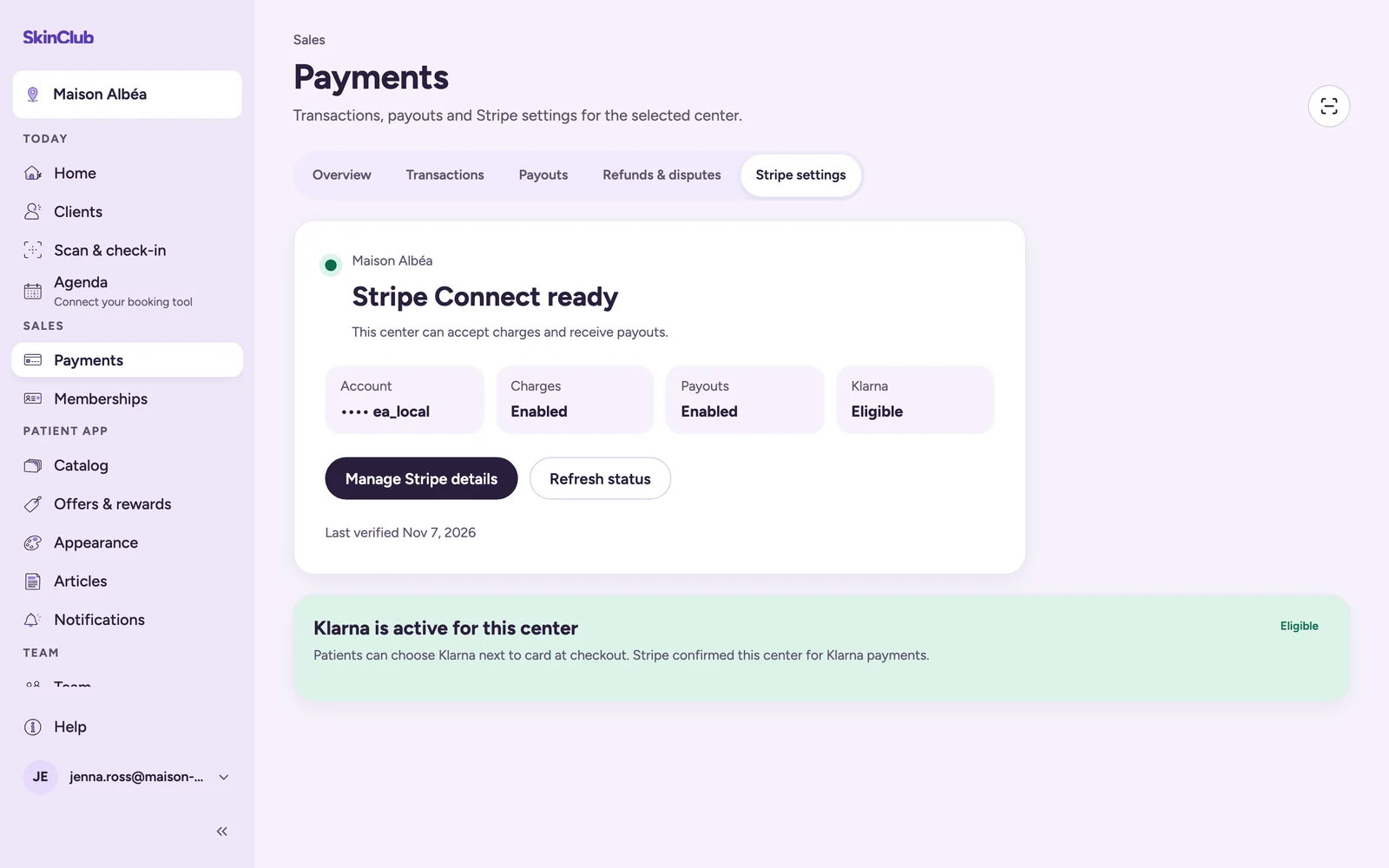
Open Sales > Payments > Stripe settings and look at the Klarna line:
- Eligible: Stripe reports Klarna as active for this centre. The Klarna is active for this centre card confirms it.
- Not verified: Klarna is not offered. The Klarna is not available yet card lists What to do next. Patients can still pay by card.
What the patient sees
When Klarna is active, the app's cart shows Card or Klarna as payment methods, and the Stripe payment page offers Klarna next to card. Otherwise the cart shows Card only.
If it says Not verified
- Click Continue Stripe setup (or Manage Stripe details) and finish any step Stripe asks for: business details, bank account, identity.
- Come back and click Refresh status.
- If Klarna stays Not verified after Stripe shows everything complete, contact Stripe support. Stripe alone decides Klarna approval.
What to expect
- As the Why connect Stripe card says, once Stripe enables Klarna, your clinic is paid in full upfront when a patient pays in instalments.
- Availability can vary with your clinic's country, your business category, the patient's country, the currency and the transaction. Stripe has the final say, even when the status says Eligible.
- The payment options and terms a patient sees for Klarna come from Klarna through Stripe, not from SkinClub.
- This applies to one-time purchases of treatments and products. Klarna is not available on memberships.
Limits
SkinClub does not change a Klarna decision, and cannot activate it by itself.