Claude and ChatGPT connector
Run the Admin from your AI assistant. 6 questions.
What is the connector for?
Running your Admin from Claude or ChatGPT: check the dashboard, catalogue, offers and team, then propose changes.
How do I connect Claude to my Admin?
Two settings first, in the Admin: two-step verification on your account (Account › Account security), then the “Allow the team to connect AI assistants” switch, which only the owner can turn on (Patient app › Appearance › Brand & settings, AI assistant card). Then, in Claude:
In Claude, open Settings › Connectors.
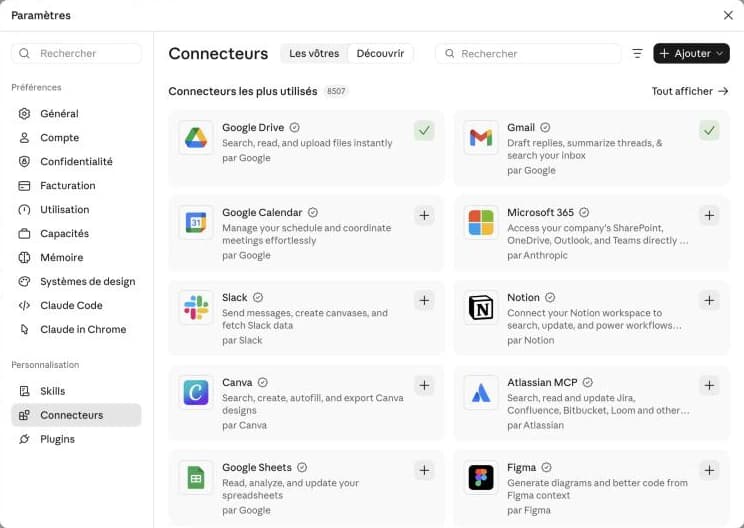
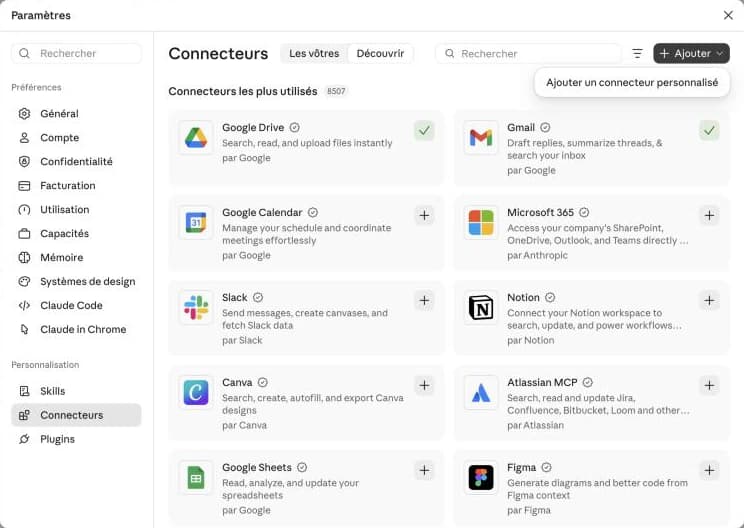
Click “Add”, then “Add custom connector”.
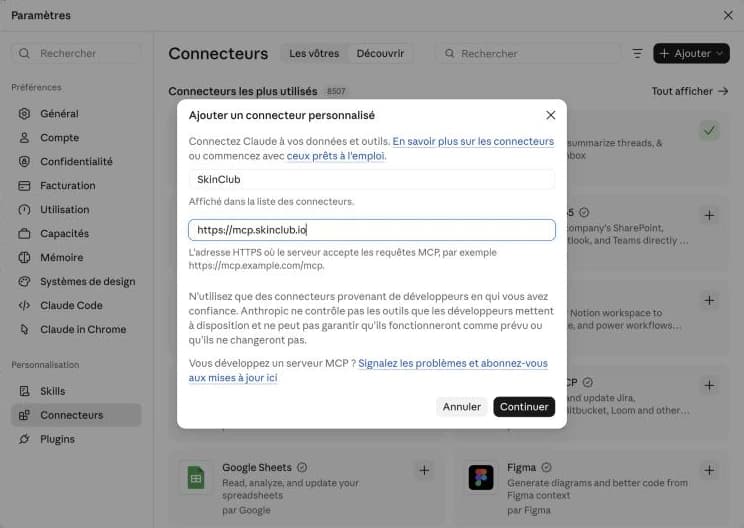
Name it SkinClub, paste the address https://mcp.skinclub.io, then click “Continue”.
Claude detects SkinClub's sign-in: keep “Connect now” and “Use your own OAuth client”.
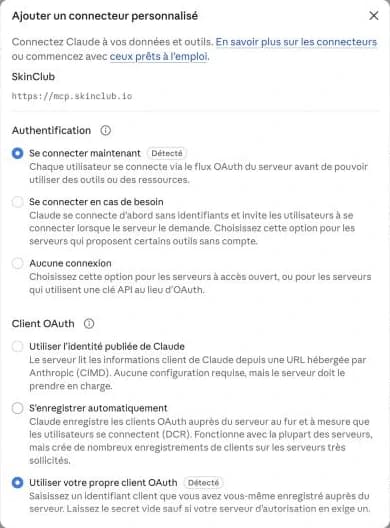
Paste the client ID shown in Admin › Connected apps. Leave the secret empty.
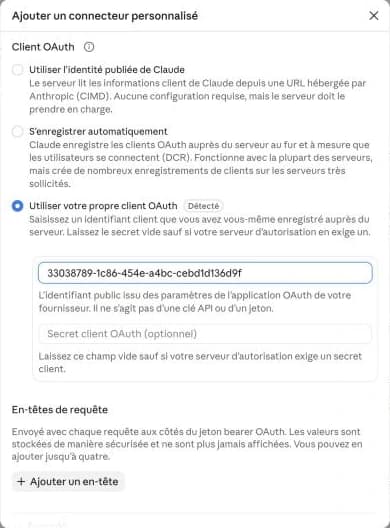
Click “Add”.
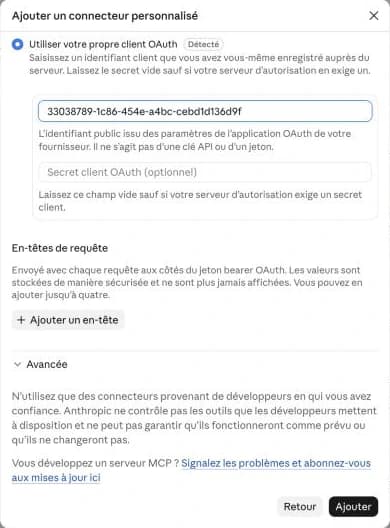
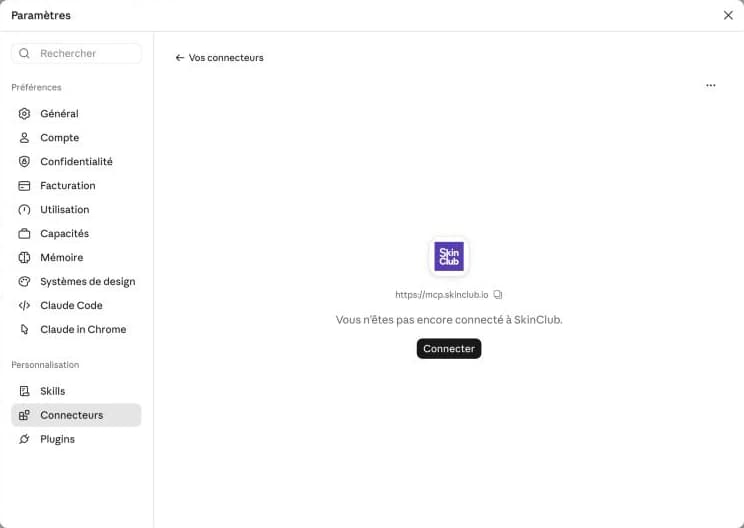
On the SkinClub card, click “Connect”.
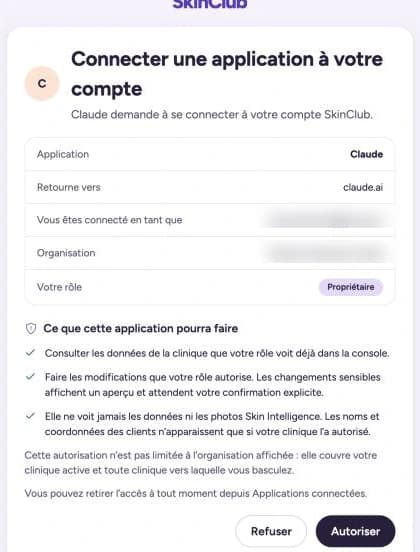
SkinClub asks you to confirm: check your role, then click “Allow”.
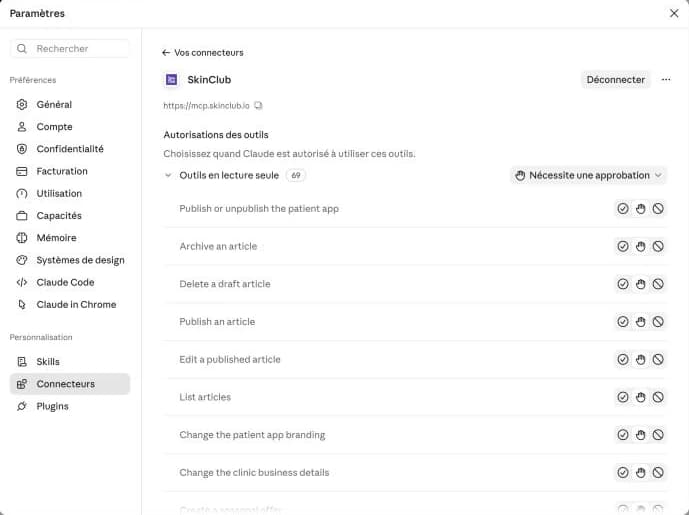
You're connected. By default, Claude asks for your approval before using a tool; you can change this tool by tool.
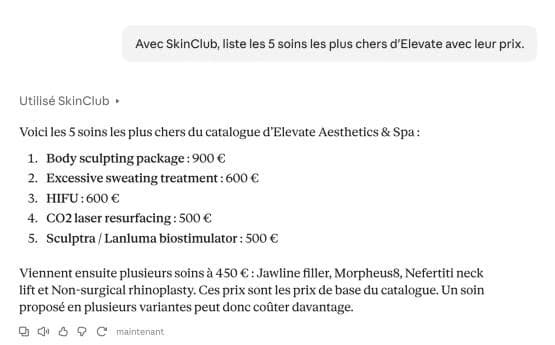
Ask your first question, for example “With SkinClub, list my 5 most expensive treatments.”
Why is two-factor authentication required?
Without a verified authenticator app on your account, the connector refuses every call. Verify it before connecting the assistant.
What can the assistant do?
Exactly what your role allows in the Admin, nothing more. Sensitive changes go through a preview, then your confirmation.
Can the assistant see patient data?
Only if the owner has allowed it for that clinic. Skin Intelligence analyses, face photos and voice notes are always excluded.
Is the connector paid?
It's included during the pilot phase.
Can't find your answer?
Write to us: a person from the SkinClub team will reply.