How can we help?
Answers to the questions clinic owners and their team ask, topic by topic.
Topics
10 topics · 32 questions- Getting startedCreate your app and go live.4 questions
- Patient appFrom the clinic code to your patients' profile.4 questions
- Loyalty and pointsPoints, rewards and referrals.4 questions
- MembershipsPlans, included treatments, cancelling.3 questions
- Payments and KlarnaStripe and paying in instalments.3 questions
- Offers and messagesOffers and the in-app inbox.2 questions
- Claude and ChatGPT connectorRun the Admin from your AI assistant.6 questions
- Data and privacyHosting and access to data.2 questions
- Team and receptionRoles, QR code, visits.3 questions
- SupportWrite to us.1 question
Frequent questions
What clinics ask us most before launching an app.
How do my patients get the app?
They download the app, then scan the QR code at your reception or enter your clinic code. The app then shows your name, logo and treatments.
See the topic Patient appWhere does the money go?
Patients pay by card through Stripe, straight into your clinic's account. SkinClub never holds your money.
See the topic Payments and KlarnaCan patients pay in instalments?
Yes, for treatments and packages, with Klarna once Stripe enables it on your account. You're paid in full upfront. It isn't available on memberships.
See the topic Payments and KlarnaHow does a patient cancel their membership?
From their profile in the app. Their benefits stay active until the end of the paid period, and you see the cancellation in your Admin.
See the topic MembershipsHow do I connect Claude to my Admin?
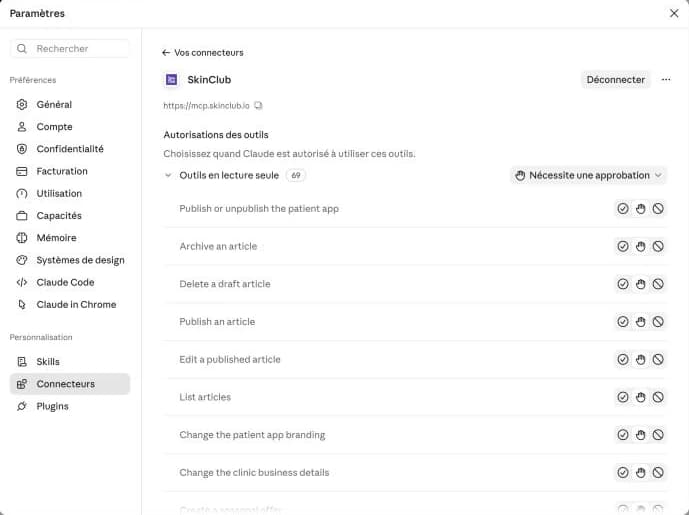
Two settings first, in the Admin: two-step verification on your account (Account › Account security), then the “Allow the team to connect AI assistants” switch, which only the owner can turn on (Patient app › Appearance › Brand & settings, AI assistant card). Then, in Claude:
In Claude, open Settings › Connectors.
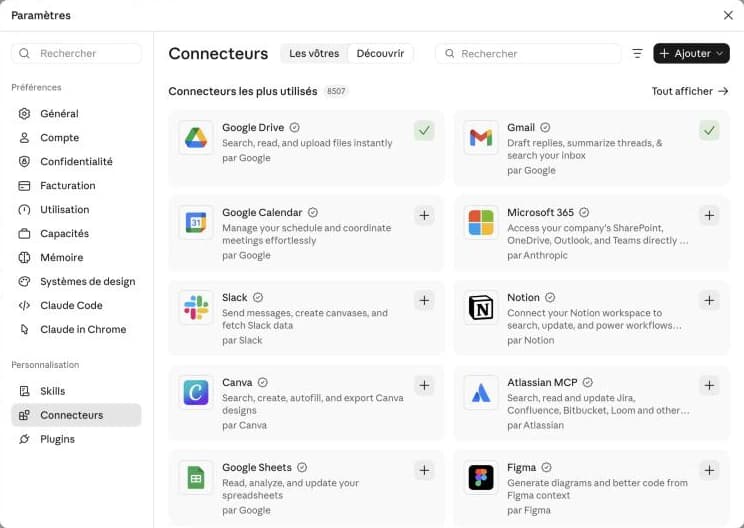
Click “Add”, then “Add custom connector”.
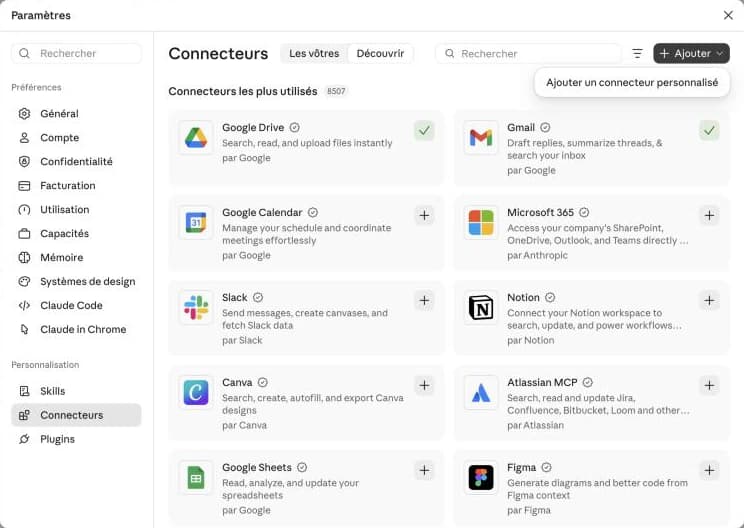
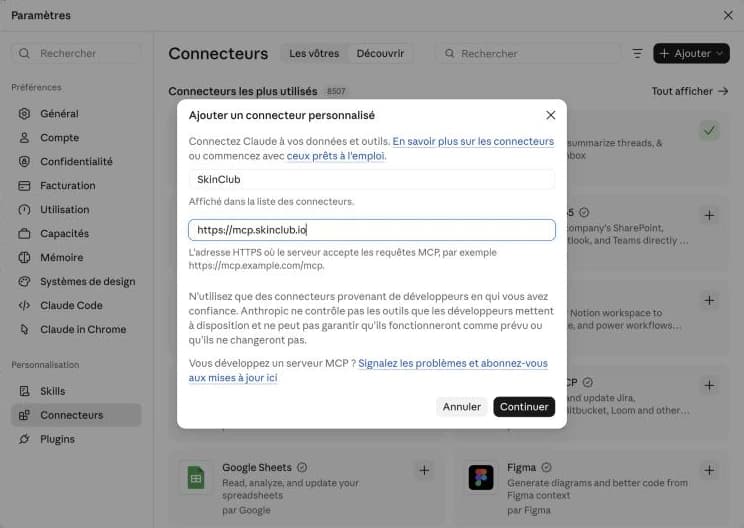
Name it SkinClub, paste the address https://mcp.skinclub.io, then click “Continue”.
Claude detects SkinClub's sign-in: keep “Connect now” and “Use your own OAuth client”.
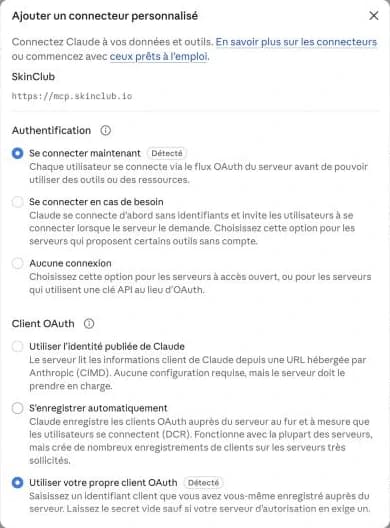
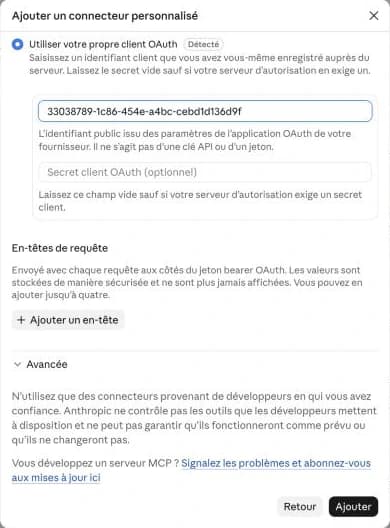
Paste the client ID shown in Admin › Connected apps. Leave the secret empty.
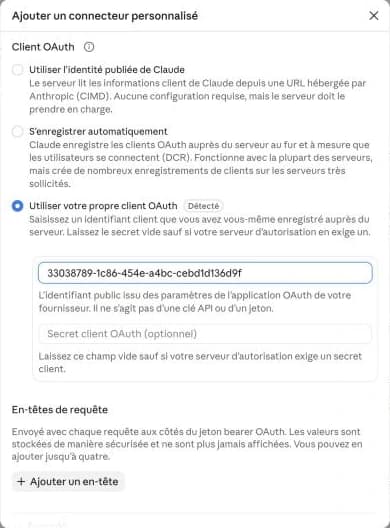
Click “Add”.
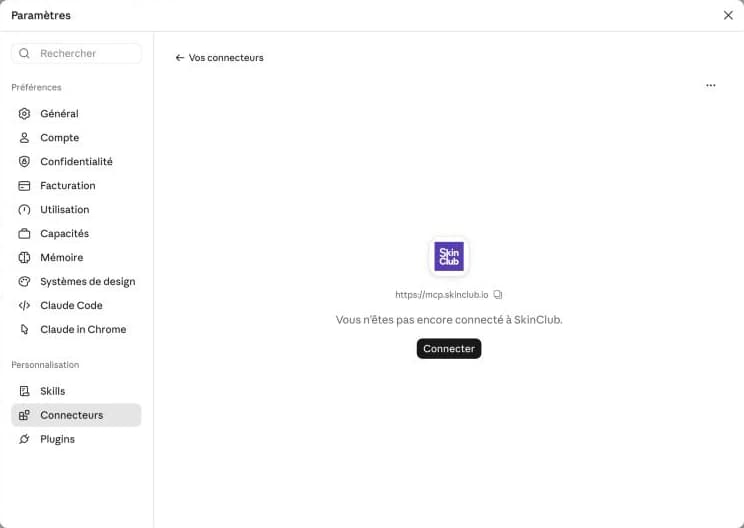
On the SkinClub card, click “Connect”.
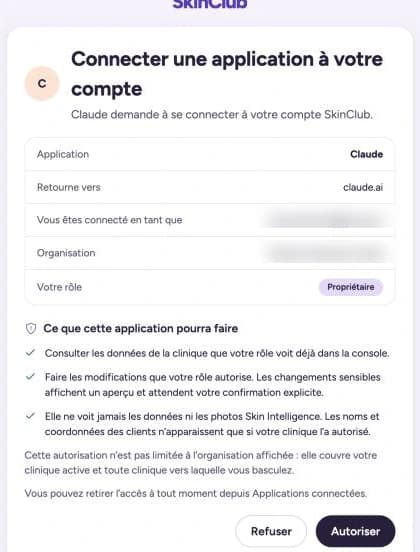
SkinClub asks you to confirm: check your role, then click “Allow”.
You're connected. By default, Claude asks for your approval before using a tool; you can change this tool by tool.
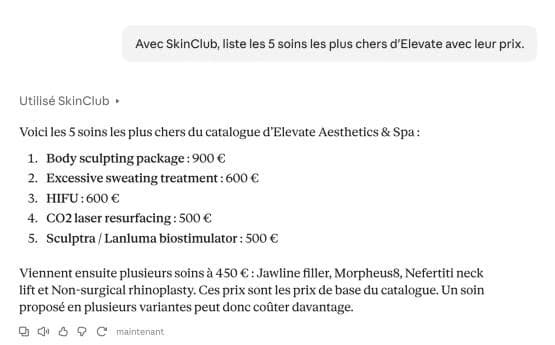
Ask your first question, for example “With SkinClub, list my 5 most expensive treatments.”
Where is patient data stored?
In the European Union, in Paris. Patients can ask for their account to be deleted from their profile at any time.
See the topic Data and privacyCan't find your answer?
Write to us: a person from the SkinClub team will reply.