Welcome to SkinClub
A quick tour of the Admin sidebar and where each part of your clinic lives.
Last updated
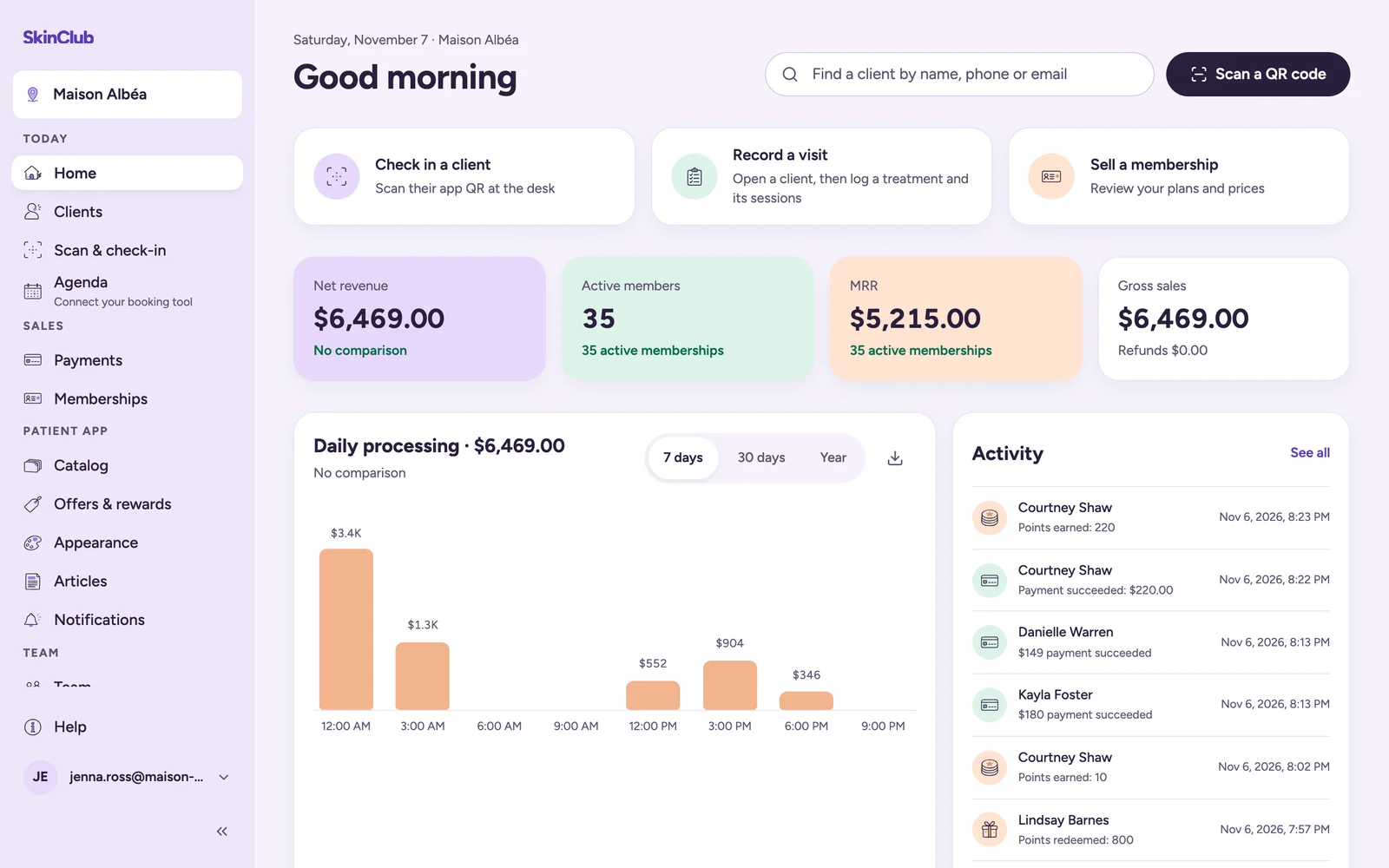
The SkinClub Admin is where your team runs the clinic and shapes the app your patients use. Everything is reached from the sidebar on the left.
Find your way in the sidebar
The sidebar is grouped by what you are doing:
- Today: Home (your dashboard), Clients, Scan & check-in and Agenda, the shortcut to your booking tool.
- Sales: Payments and Memberships.
- Patient app: Catalog, Offers & rewards, Appearance, Articles and Notifications.
- Team: Team and Commissions.
At the bottom of the sidebar you find Help, which opens this help center, and your account menu. The account menu holds My rewards, Account security, Connected apps, Live preview and Sign out.
Start from Home
Home gives an overview of your clinic:
- Find a client and Scan a QR code, at the top of the page;
- Quick actions: Check in a client, Record a visit and Sell a membership;
- Key figures, Daily processing and the Activity feed;
- Stats, with a date range to pick and an optional comparison. Add and Edit show or hide the cards.
Work across several clinics
If you have access to more than one clinic, the Admin asks you to choose one before you start. To switch, click the clinic name at the top of the sidebar. Everything you see and change applies to the active clinic.