Review imported treatments
Check the treatments read from your website, confirm or reject catalogue suggestions, then approve them.
Last updated
When SkinClub builds your draft from your website, the treatments it finds arrive as imported treatments. Review them before your app goes live.
Open the review queue
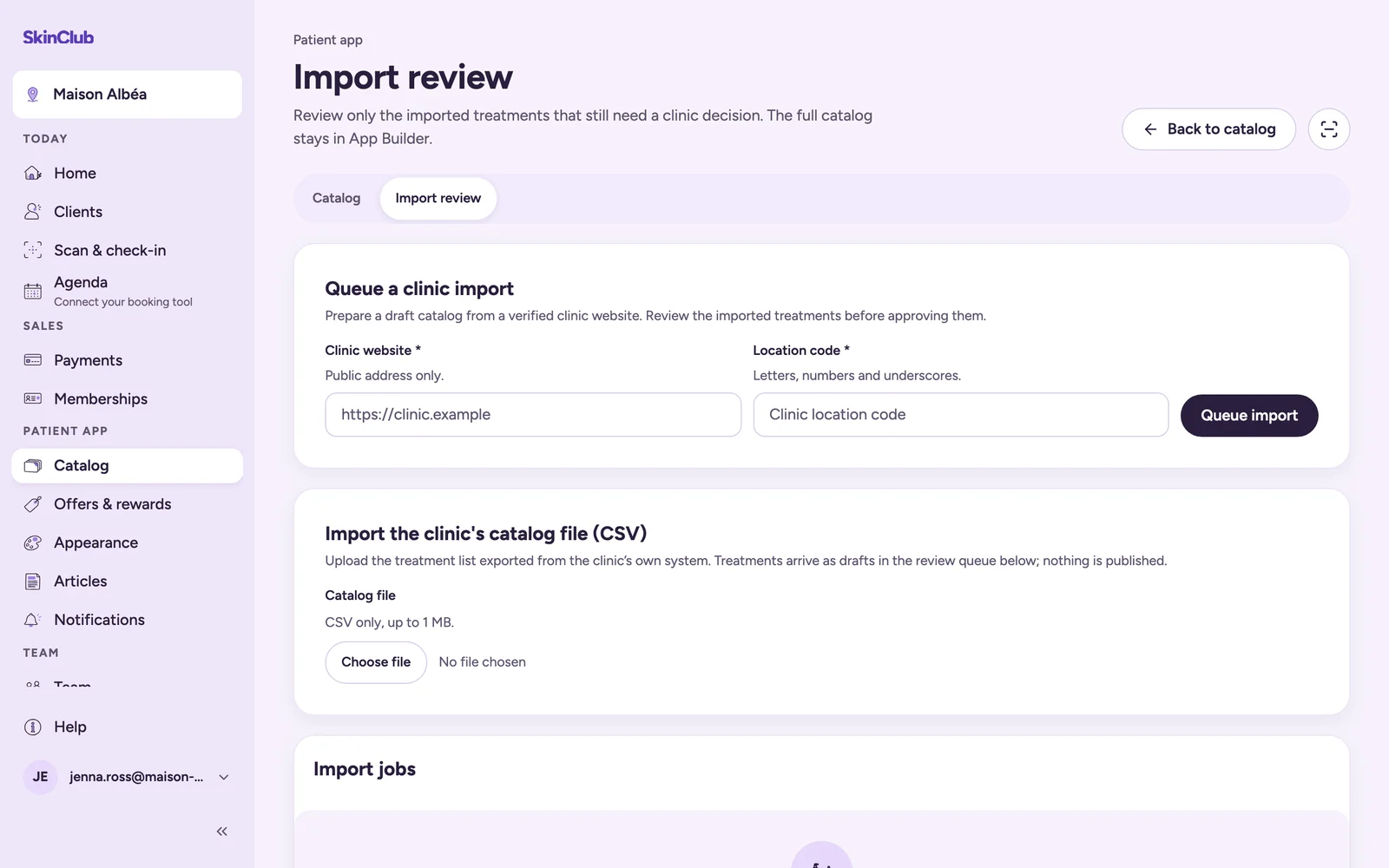
Go to Patient app > Catalog, then click Review imported treatments (or open the Import review tab). The queue only lists treatments that still need a decision from the clinic. When it is empty, you see Nothing needs review.
Check each treatment
For every row, look at:
- the treatment name and its Mapping, the SkinClub catalogue treatment it is linked to;
- the price and its Price source;
- the Source evidence: use Open source to compare with your own website;
- the Review notes, which flag what to double-check.
If a Suggestion to confirm appears, SkinClub proposes to link your treatment to a treatment of its catalogue:
- Confirm links it.
- Reject keeps the treatment specific to your clinic.
When nothing in the service name backs a suggestion, the screen says so. Check before confirming.
Approve
Click Approve import once a treatment is right. It leaves the queue. If the treatment was hidden from the shop while waiting for your review, approving shows it again.
To fix a name, price or duration, open the treatment from Catalog and edit Treatment name, Pricing or Treatment duration (optional).
Start a new import
The same page offers three sources:
- Queue a clinic import: the Clinic website and its Location code, then Queue import.
- Import the clinic's catalog file (CSV): the treatment list exported from your own software, 1 MB maximum.
- Read the clinic's public booking page, when this option is available for your clinic: Fresha, Planity or Treatwell. Doctolib pages are never read.
Treatments arrive as drafts in the review queue. Nothing is published without review. Progress shows under Import jobs.
Limits
- Approving records your review. It does not publish your app (see "Preview your app, then publish it").
- Prices and durations come from public pages and can be missing or wrong.
- Only owners, admins and group administrators can start or cancel an import.